


Horse Magnifier – A Zoomed-In Puzzle That Warps Your Eyes
Share Horse Magnifier with Friends!
Discover More Horse Magnifier
Sprunki Swap Retextured
Tetrix Online
Brush Jjaemu

Ship Smasher

Lab Havoc

Sky Dart
Sausage Battle
Cursor Camp
Color Surfer
Maptap
The Archives of Trevosa

Rooster Road
Long Leg Master
COBB CAN MOVE

Poppy Playtime Chapter 5
Farting Flight

FNF Hazier River: Smoke ‘Em Out Struggle
Wobbly Pets
School Fury
FNF Nocturnal Protocol Mod
Explore Other Exciting Games
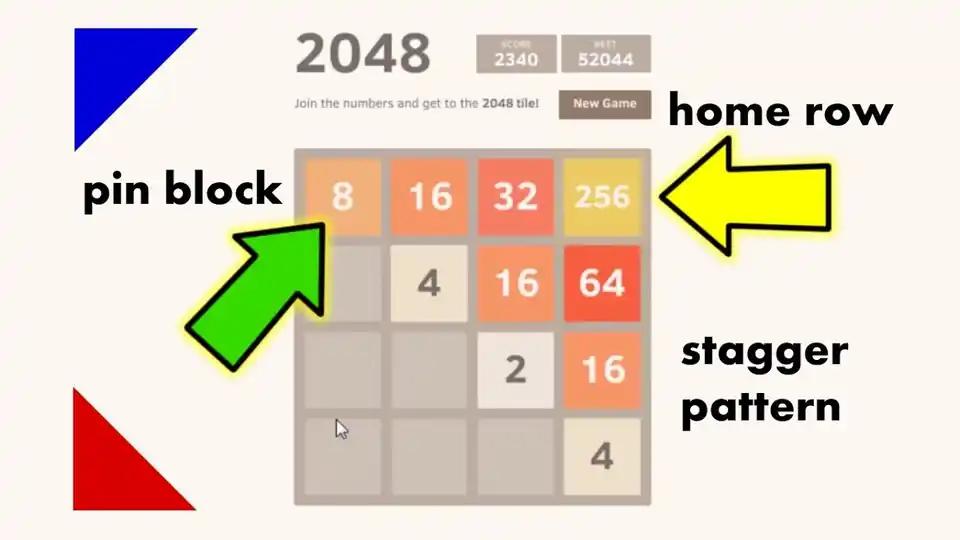
2048
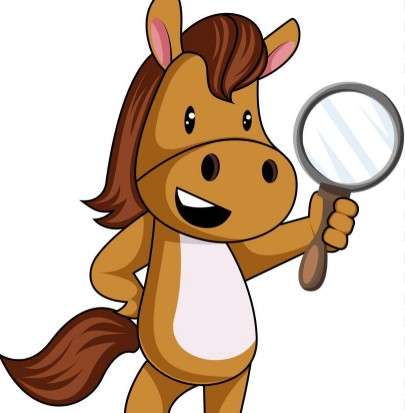
Horse Magnifier
Idols Of Ash
Red Face Horror
Escape Road 3
Office Fury

Lift Off 2
Bow Battle
Garfield War
Trees Hate You
Maptap
Speed Slope
Street Escape
Ship Smasher
Lab Havoc
Sky Dart
Sausage Battle
Cursor Camp
Color Surfer
Sprunki OC V3
What Is Horse Magnifier?
Horse Magnifier flips the usual puzzle script by making magnification the main mechanic — zooming in and warping how shapes and details look on screen. Instead of slotting pieces together, you're reading warped visuals and figuring out what's actually hiding in the image. It's the kind of low-key brain teaser that hooks you with one round and keeps you clicking for the next.
How to Play Horse Magnifier
Pick a Puzzle to Tackle
Open Horse Magnifier in your browser and you'll get a list of warped visual puzzles to choose from. Pick one that catches your eye and dive in.
Adjust the Magnifier
You'll control a magnifier tool over the image. Slide it around and change the zoom level to peek at different parts of the scene.
Read the Distorted Details
Things look stretched, squished, or otherwise off. Your job is to decode what the image is actually showing beneath all the warping.
Solve the Visual Riddle
Once you've spotted the answer in the magnified sections, submit it and clear the level. Wrong guesses just mean more squinting.
Chain Puzzles for Streaks
Knock out several rounds in a row to build a streak and unlock the trickier later puzzles. Eyes sharp, cowboy.
Why You Should Play Horse Magnifier
Fresh Puzzle Mechanic
Magnification as the main trick feels genuinely different from the usual match-three or jigsaw grind. It's a new way to puzzle.
Genuinely Brain-Tickling
You actually have to think — not just react. Decoding warped visuals gives your brain a workout without feeling like homework.
Zero Friction To Start
No downloads, no accounts, no waiting on a loading bar that lies. Click and you're in puzzle mode within seconds.
Weirdly Satisfying Wins
That moment when a blurry blob finally snaps into a clear horse (or whatever it is) hits way harder than finishing a normal level.
Perfect Snack-Sized Rounds
Quick enough to play between tasks, sticky enough to accidentally lose twenty minutes to. Classic casual combo.
Play Horse Magnifier in Your Browser
Skip the app store and forget about installers — Horse Magnifier runs straight from your browser tab. Just open the page, give it a couple seconds to load, and start squinting at warped puzzles immediately. Works on laptops, Chromebooks, and phones without you touching a single download button.
Horse Magnifier FAQs
Is Horse Magnifier free to play?
Yep, you can play it for free right in your browser without paying a cent or signing up for anything sketchy.
Do I need to download Horse Magnifier?
Nope. It's a browser game, so just open the page and you're playing. No installer, no .exe files lurking around.
Can I play Horse Magnifier unblocked at school?
Most versions load over standard HTTPS, so it usually works on school networks as long as gaming sites aren't fully blocked by your admin.
What kind of puzzles are in the game?
Does Horse Magnifier work on phones?
It runs in mobile browsers too, though the magnifier controls feel comfier on a touchscreen with a stylus or steady fingers.
How long is a typical round?
Most puzzles wrap up in a couple of minutes once you catch on, though the tougher ones can chew up five or more if you're truly stumped.
Is there a timer in Horse Magnifier?
Some rounds give you a clock, others let you chill and study. It depends on which puzzle mode you're tackling.
Do I need a powerful PC or graphics card?
Not really. The visuals are simple enough that any laptop, Chromebook, or older desktop can handle it without breaking a sweat.
Are there hints if I get stuck?
Yeah, hints usually pop up after a few wrong guesses, giving you a nudge toward the right area to magnify.
Is there a multiplayer mode?
It's mostly a solo ride focused on your own eyeballs, so don't expect co-op or versus rounds.
Can I save my progress?
Progress sticks around in your browser for the session, and some versions remember your streak if you come back later.
Is Horse Magnifier safe for kids?
It's pretty family-friendly — no violence, just squinting at weird images. Good clean optical confusion.
What makes Horse Magnifier different from regular puzzle games?
Instead of dragging pieces, you're decoding distorted images through a magnifier. It plays more like a visual riddle than a jigsaw.
Features of Horse Magnifier
Magnification-Driven Puzzles
Every round asks you to zoom, squint, and study a warped image until it makes sense. It's a fresh twist on standard jigsaw play.
Browser-Only Play
No installs, no app store, no waiting on downloads. The whole thing loads in a tab and runs smooth on most setups.
Proving Ground for Your Eyes
Rounds scale in difficulty, so early puzzles warm you up before later ones start testing how well you read distorted shapes.
Quick Sessions, Real Stickiness
Each level is short, but 'just one more' becomes a half hour real fast. Great for breaks that aren't really breaks.
Visual Trickery Everywhere
Colors blur, edges stretch, and proportions lie. The game loves messing with your assumptions and rewarding the players who slow down.
Tricks and Tips for Horse Magnifier
Start With the Edges
Corners and borders of a warped image usually hold the cleanest clues. Magnify the edges first before chasing the middle.
If you spot a straight line or familiar shape on the border, you're probably on the right track.
Change Your Zoom Often
Don't park the magnifier at one level. Zoom in for details, pull back for the big picture — both views feed each other.
Alternate between max zoom and a slight pull-back every few seconds.
Trust Patterns Over Colors
Distortion often scrambles colors but leaves textures and outlines readable. Focus on shapes when hues look unreliable.
Trace silhouettes with your eyes instead of trying to identify colors first.
Use Hints Without Guilt
Stuck for more than a minute? Burn a hint. They're there to keep momentum, not as a cheat code.
Save hints for the hardest levels instead of popping them on round one.