
Racing Pop Online: Let the Car Steer, You Nail the Timing
Share Racing Pop with Friends!
Discover More Racing Pop
Sperunky Para
Sprunkilairity 2 Spiraling
Sprunki Squid Game
Sprunki Retake Xmas Edition
Sprunki Retake But Hands
IncrediBox Sprunki
Stair Race 3D
Sprunki Simplified
Sprunki Definitive Phase 7
Sprunki Definitive Phase 11
Sprunki But Uh…
Sprunkis
Sprunki Dandy's World 2
Sprunki Crazyboxed
Sprunki Christmas Modded

Sprunksona Parody
Sprunki Scratch Remake
Sprunki But Better OSC
Sprunked 2 FE Christmas
Sprinkle Sprunki
Explore Other Exciting Games
2048
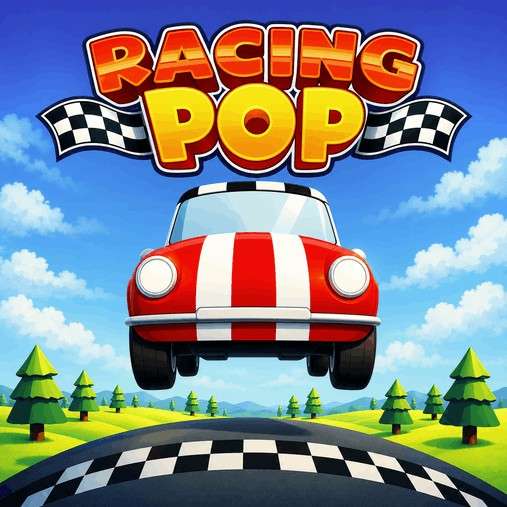
Racing Pop

Capybara Mart
Wheel Quest
FNF Bikini Horrors V3
Goat Rampage
Crashy Rush
Tower Shot

Unbox the Room
Incredibox Twittergram

Sky Dart

Stick Hero RPG
Escape Road 3
Sprunki OC V3
Dead Strike
The Archives of Trevosa

FNF Hazier River: Smoke ‘Em Out Struggle
Wave Rider

Christmas Factory
Astro Tycoon
Racing Without the Steering Homework
Racing Pop is a casual arcade racer that puts timing in the driver's seat. Your vehicle follows the road automatically, so you can stop wrestling with steering and pay attention to when you act. Sounds relaxing—until you catch yourself second-guessing the moment.
Get Moving, Then Find Your Rhythm
Check the On-Screen Instructions
Look for the game's control instructions before starting. Knowing which input it expects lets you concentrate on timing instead of guessing buttons.
Let the Car Follow the Road
The vehicle handles its own path. Keep your attention on what's coming rather than trying to steer through every bend.
Watch Before You Act
Timing is the main challenge here. Read the situation on screen before making your input.
Adjust Your Timing
Notice what happens after each action. If your timing feels off, make a small adjustment rather than changing your whole approach.
What's Under the Hood?
Automatic Road Following
Your car follows the road on its own. Traditional steering takes a back seat.
Timing Takes Priority
The challenge centers on when you act, not how precisely you steer. That's a different kind of racing concentration.
Casual Arcade Focus
Racing Pop keeps its focus on an arcade-style timing challenge rather than traditional driving simulation.
Browser-Based Play
Play online without installing a separate game. There's no download standing between you and the road.
A Few Things Before You Race
What is Racing Pop?
It's a casual arcade racing game built around timing. Your vehicle automatically follows the road.
Do I steer the car myself?
No traditional steering is required. The car follows the road automatically, leaving you to focus on timing.
What controls does Racing Pop use?
Check the instructions shown in the game for the exact controls. The key idea is timing your input rather than manually steering.
Can I play Racing Pop online?
Yes, you can play Racing Pop in your browser without installing a separate game.
Is Racing Pop a driving simulator?
No, its focus is casual arcade racing. Automatic road following makes it quite different from a traditional driving simulator.
What should I focus on first?
Learn the required input, then watch how the game responds to your timing. Trying to steer out of habit won't help here.
Do racing-game steering skills matter?
Precise manual steering isn't the focus. Paying attention to the action and choosing your moment is more relevant.
Does automatic steering mean I can just watch?
Not quite—the road following is automatic, but timing is still your job. Treat it as one less thing to manage, not permission to zone out.
How can I improve my timing?
Watch what happens after an input and adjust a little at a time. Repeating the same rushed action makes it harder to learn what went wrong.
Does Racing Pop unblocked work everywhere?
Access depends on your network's restrictions. Searching for Racing Pop unblocked doesn't guarantee it will be available on a school or work connection.
Straight to the Road
Open Racing Pop in your browser and jump in without installing a separate game. No download to babysit—just check the on-screen instructions and put your timing to work.
Why Give It a Spin?
Skip the Steering Struggle
If constantly correcting your driving line sounds like work, automatic road following is a welcome change.
Give Timing Your Full Attention
With the car handling the road, you can concentrate on choosing your moment. Fewer distractions, more responsibility for that slightly-too-early input.
Try a Different Racing Focus
Racing Pop shifts the challenge away from steering precision. It's worth a look if you like racing themes but want a different task behind the wheel.
Leave the Installer Behind
Browser play means you can get to the game without downloading a separate app. Handy when you came to play, not manage files.
Less Guessing, Better Timing
Observe Before Reacting
An automatic car can tempt you into acting before you've read the situation. Give the on-screen action your attention instead of making inputs just to stay busy.
Watch what is happening before your next input.
Change One Thing at a Time
Big timing changes make it difficult to tell what helped. Small adjustments give you a clearer comparison with your previous attempt.
Try acting slightly earlier or later, not both.
Drop the Steering Habit
The vehicle already knows where the road goes. Spending attention on imagined steering corrections takes focus away from your actual task.
Keep your focus on timing rather than the car's direction.